Administrators and teachers have the ability to run and view reports.
1. Login to your Pathways account through Clever, ClassLink, or at pathwayslearingstudio.com.
2. Navigate to 'Assessment' on the left-hand navigation bar.
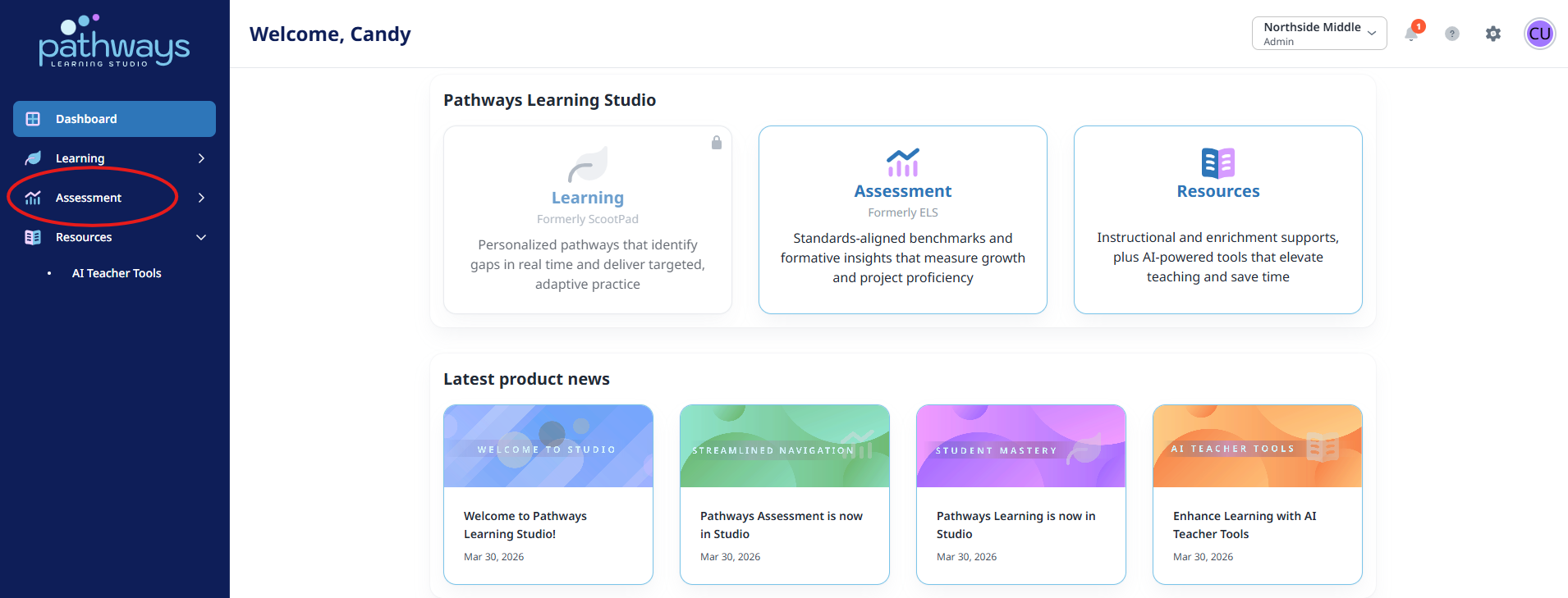
3. Navigate to 'Productivity' located under 'Assessment' on the left-hand navigation bar.
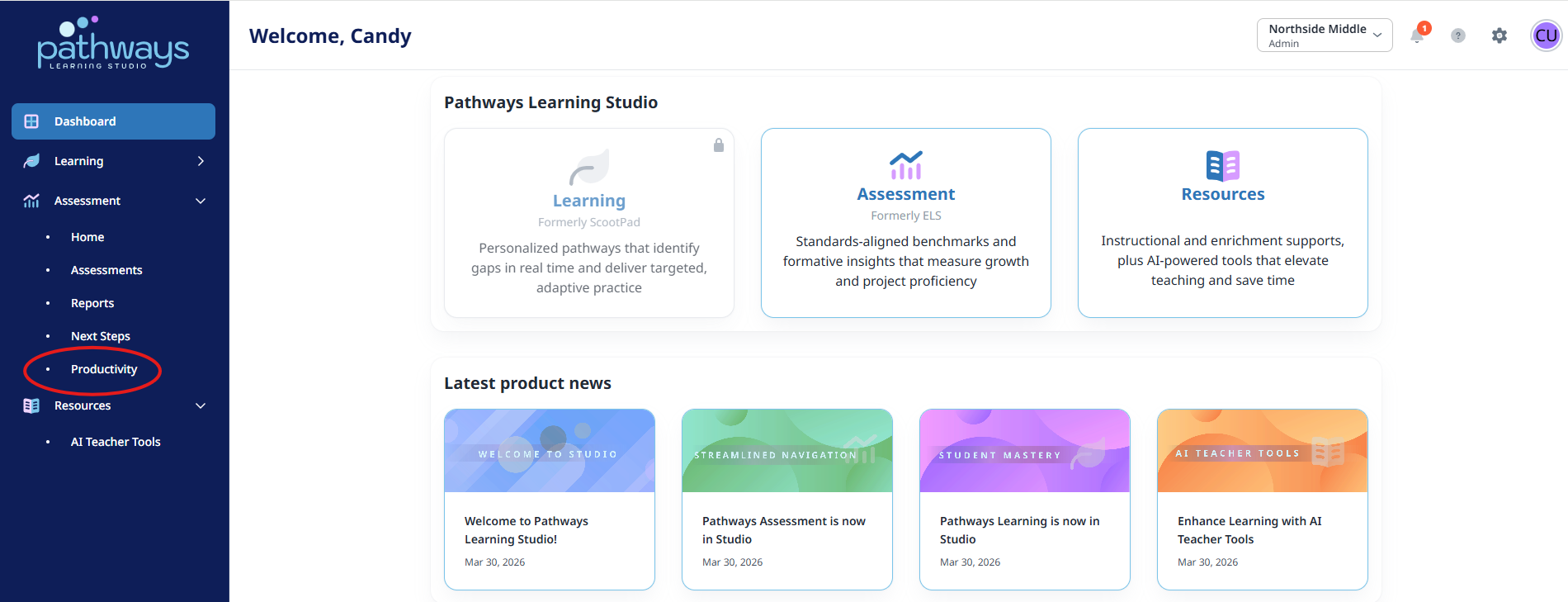
4. Select 'Lesson Planner' from the Productivity dashboard.
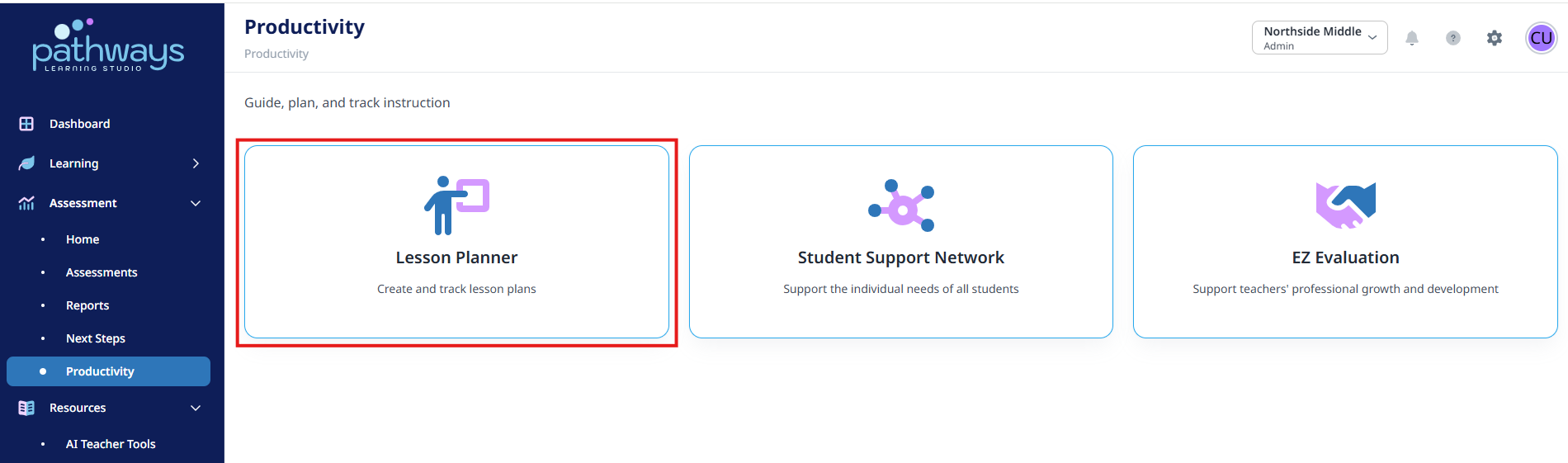
5. Select 'Reports' from the tab at the top of your screen.
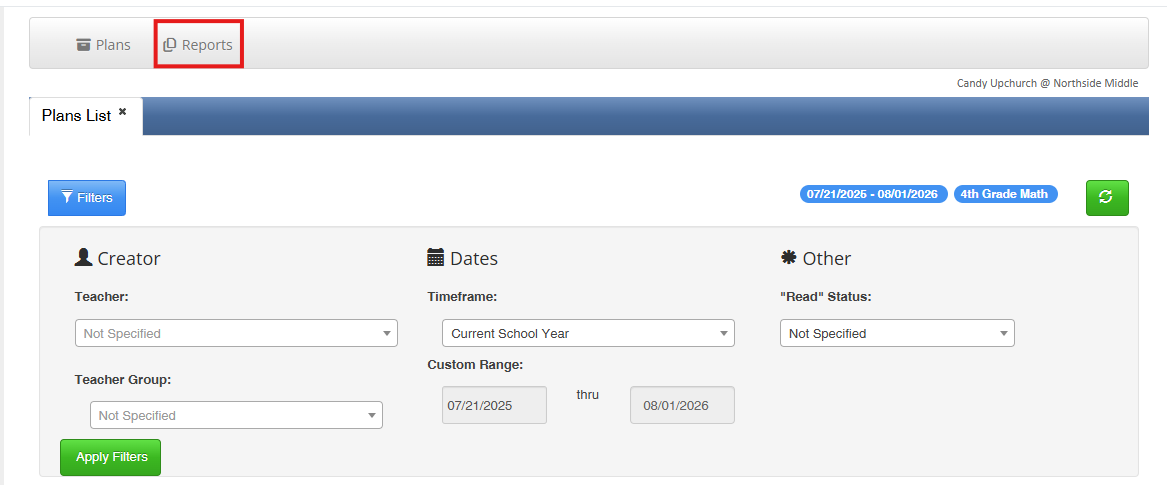
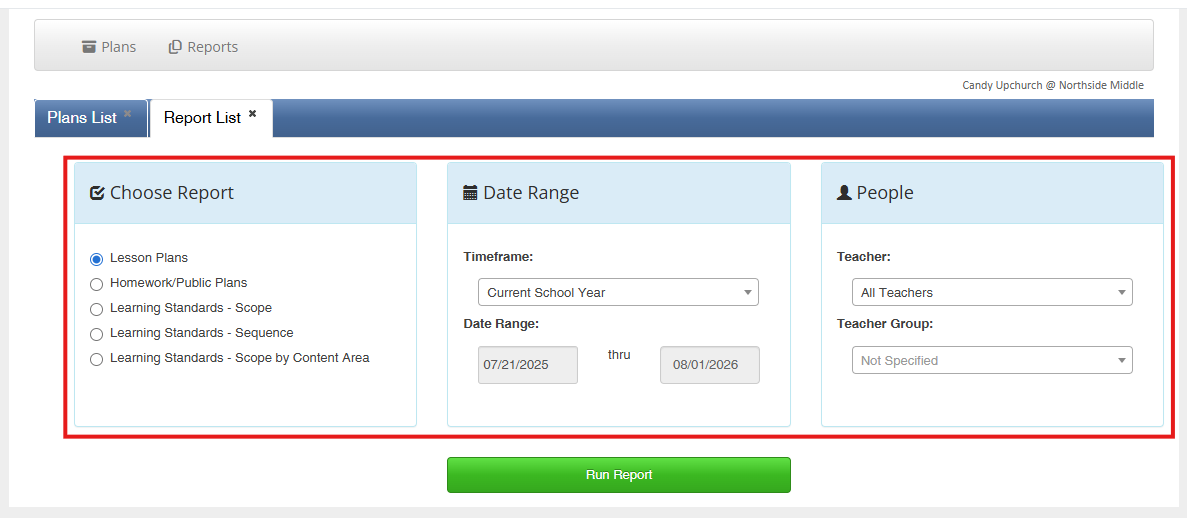
6. Select the report, date range, and the teacher for whom you would like to run the report.
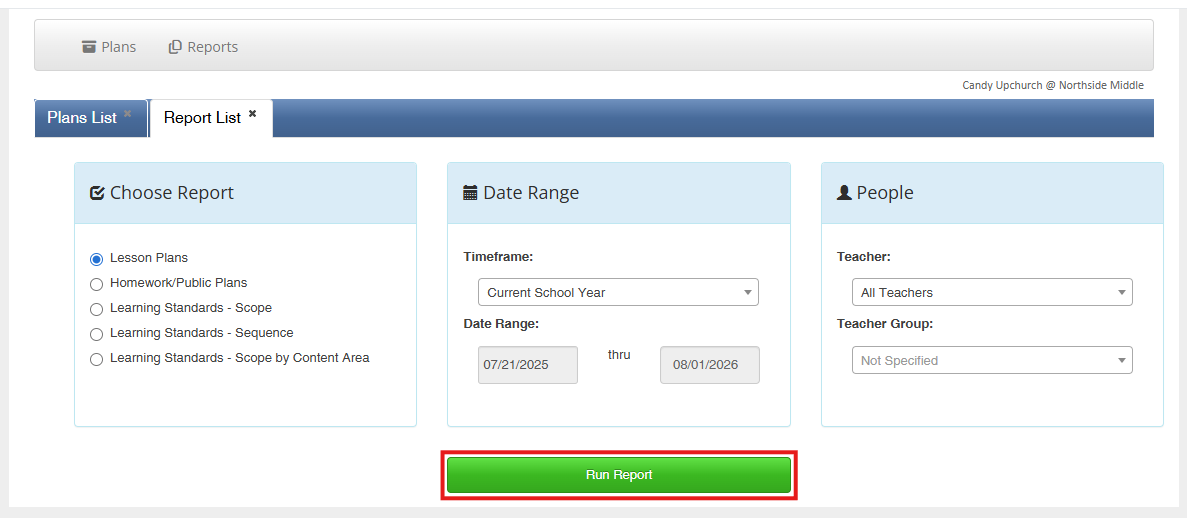
7. Click 'Run Report.'
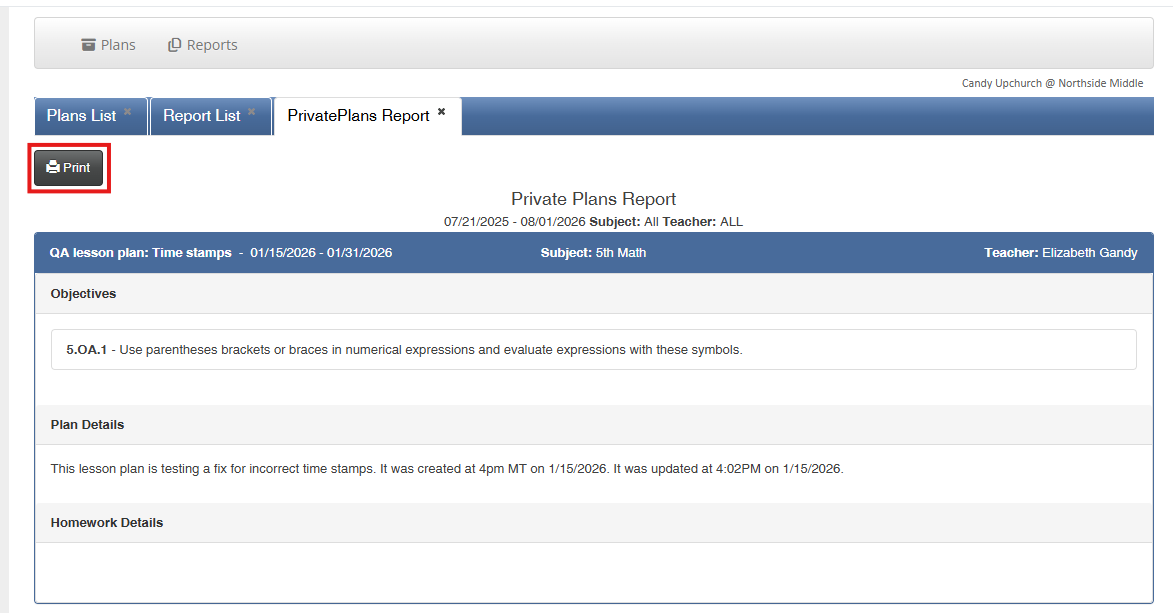
8. Print.
Was this article helpful?
That’s Great!
Thank you for your feedback
Sorry! We couldn't be helpful
Thank you for your feedback
Feedback sent
We appreciate your effort and will try to fix the article