As an administrator, you are able to view and comment on your teachers’ plans.
1. Login to your Pathways account through Clever, ClassLink, or at pathwayslearningstudio.com.
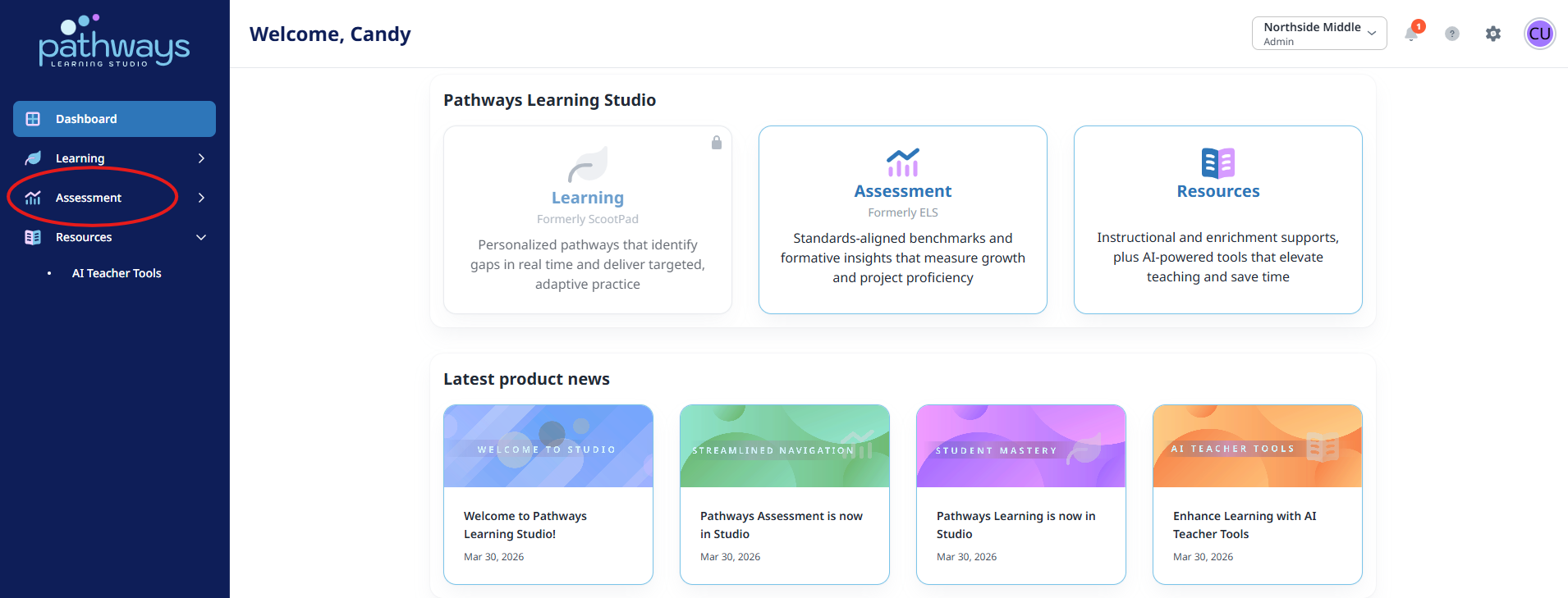
2. Navigate to ‘Assessment’ on the left-hand navigation bar.
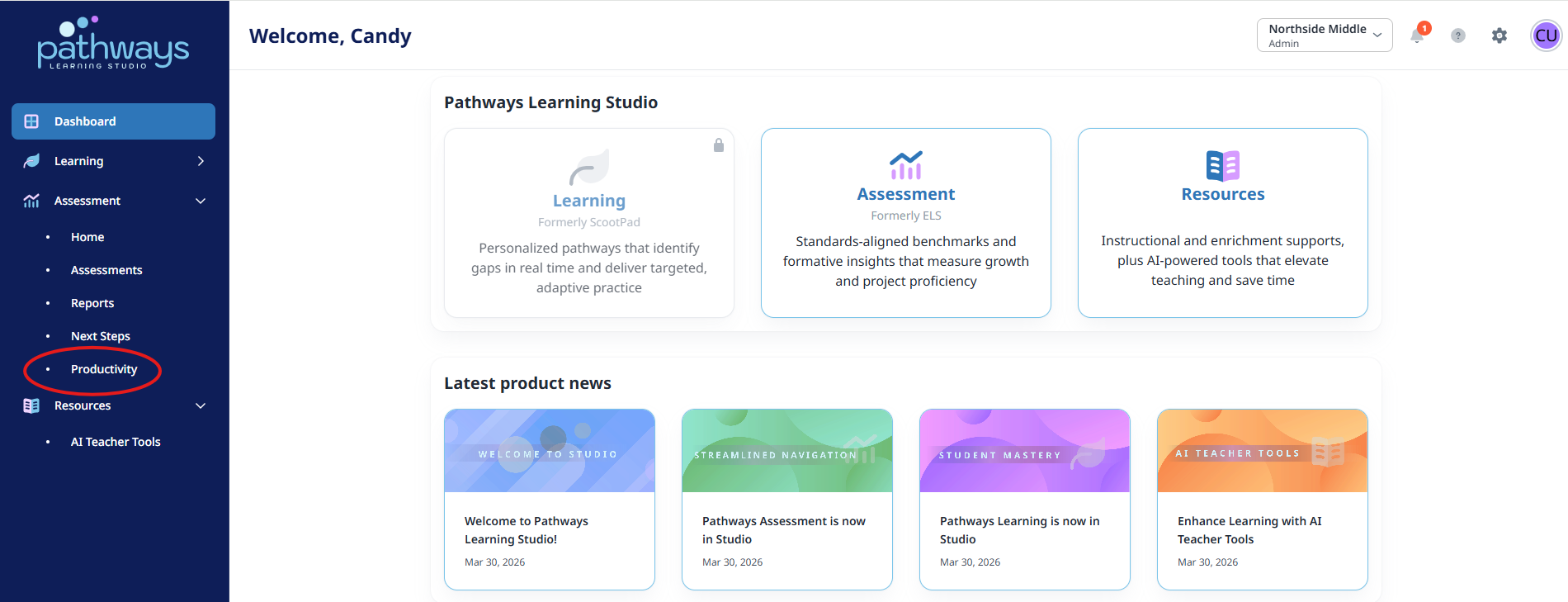
3. Navigate to ‘Productivity’ located under ‘Assessment’ on the left-hand navigation bar.
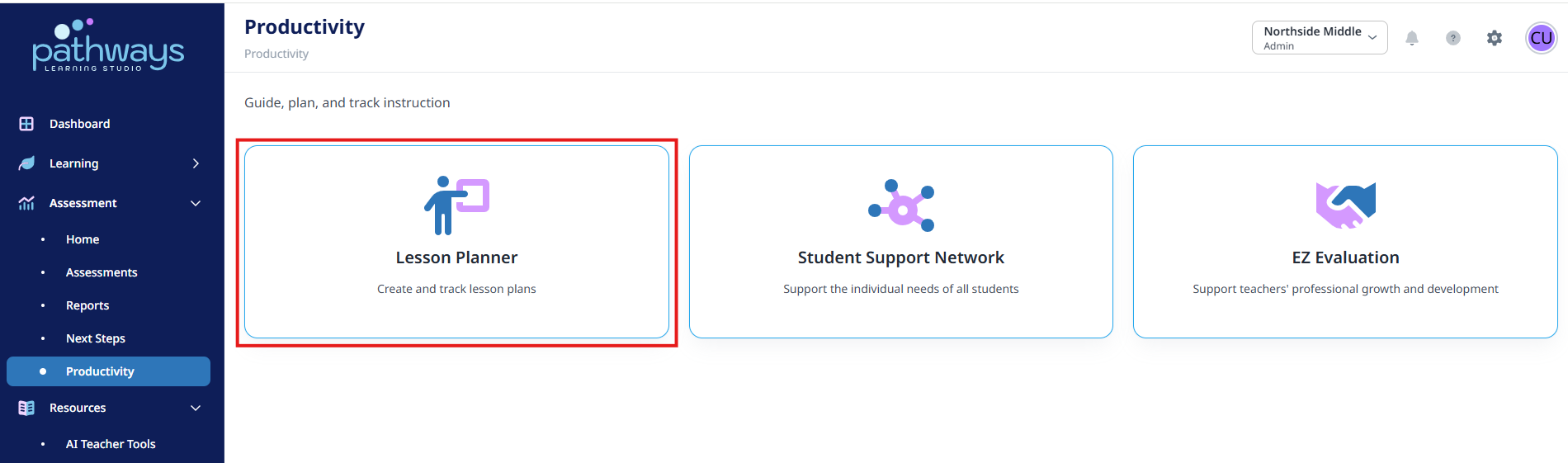
4. Select ‘Lesson Planner’ from the Productivity dashboard.
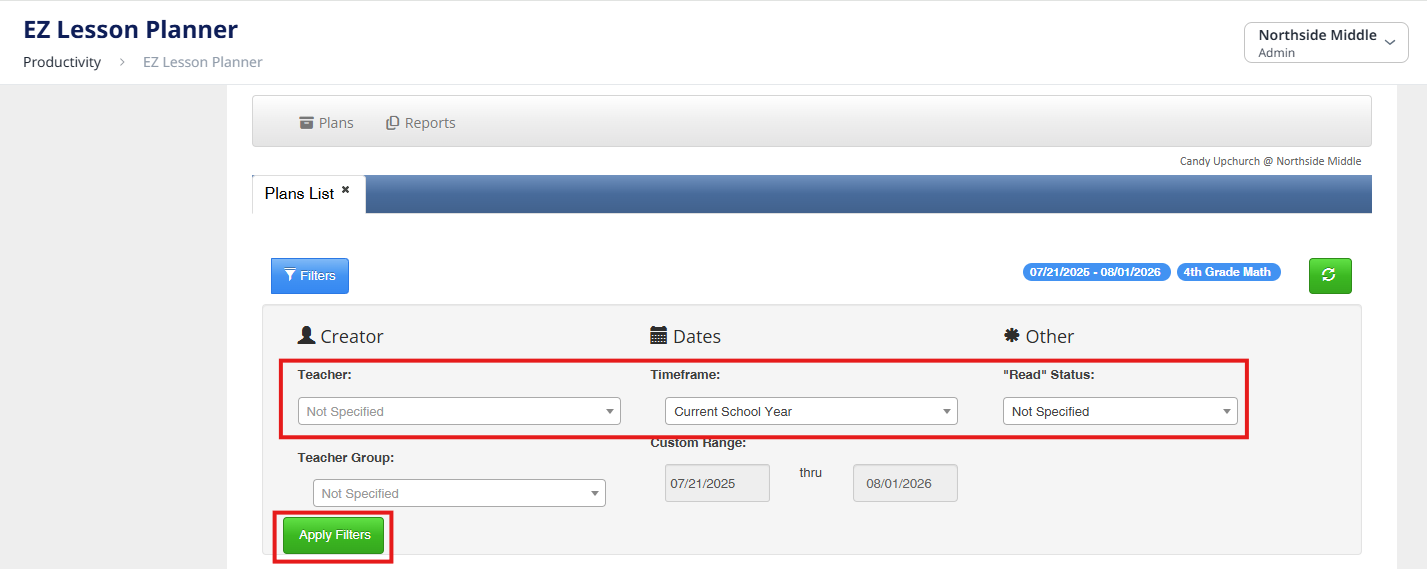
5. Select the Teacher, Timeframe, and “Read” Status you wish to view, and click ‘Apply Filters.’
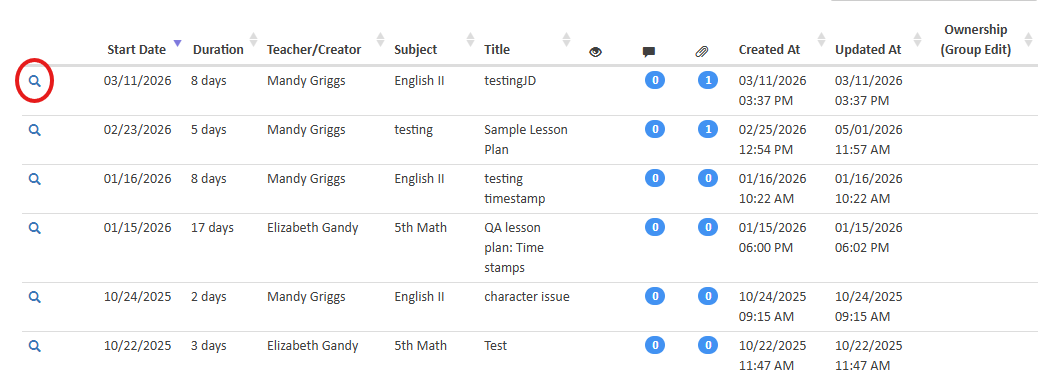
6. Click the magnifying glass next to the lesson plan you wish to view.
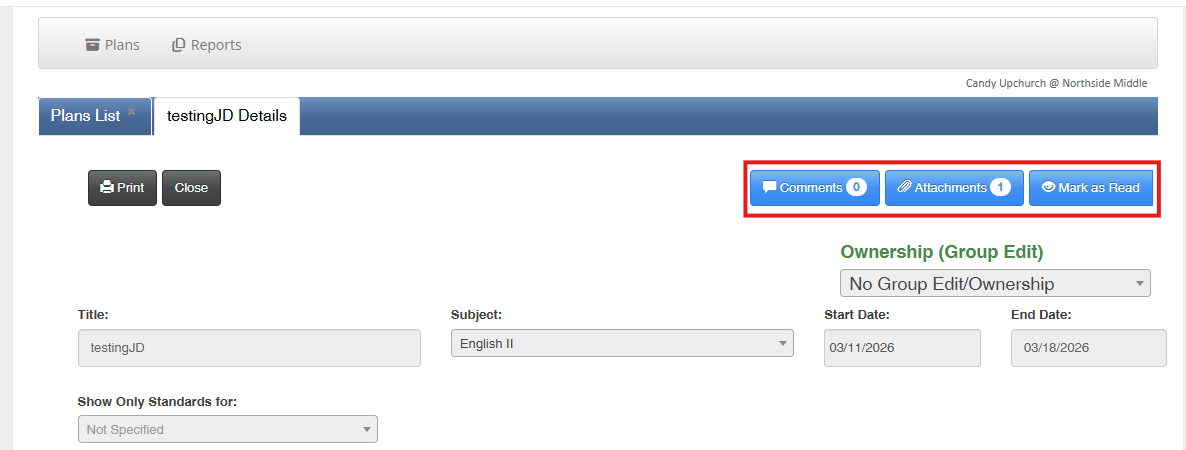
7. After viewing the lesson plan, comments can be added, attachments can be viewed, and the
lesson plan can be marked as read.
Was this article helpful?
That’s Great!
Thank you for your feedback
Sorry! We couldn't be helpful
Thank you for your feedback
Feedback sent
We appreciate your effort and will try to fix the article