The Student Item Analysis report provides a breakdown of individual student results by providing item level analysis for each student. An individual student review, selecting the easiest items missed, can be created on this page.
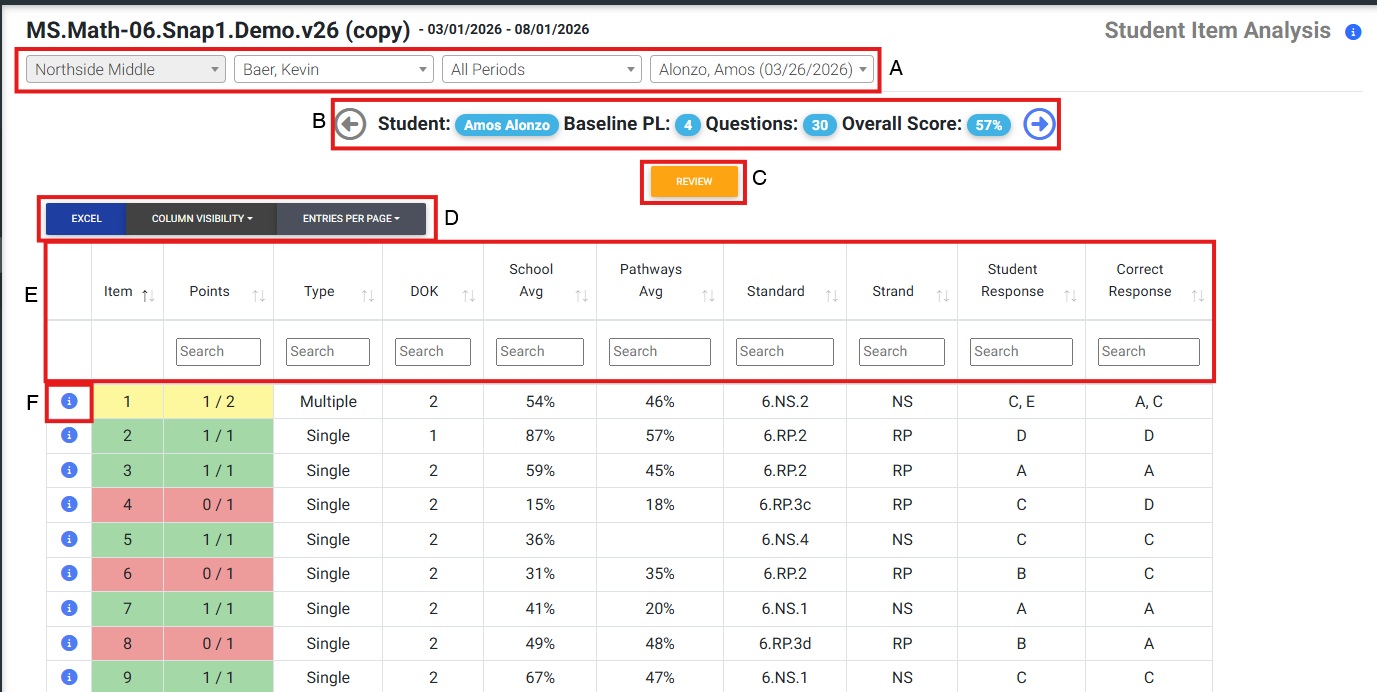
Select which school, teacher, and student to view.
View aggregate assessment data and toggle between students.
Click ‘Review’ to generate a customized review worksheet for the given student.
Excel: Download and view information in Excel. Column Visibility: Add and remove columns. Entries Per Page: View up to 100 items per page.
Organize items by each column by clicking the arrows to the right of the column header. Column categories:
Item: question order on the assessment
Points: number of points the student received for each question
Type: lists the type of item
Difficulty: DOK (1-4) of the item
School Avg: school average percent correct per item
ELS Avg: ELS average percent correct per item
Standard: code of standard
Strand: abbreviation of strand
Student Response: the student selected answers
Correct Response: answer key
Table Color Key:

F. Click to see the Item.
_______________________________________________________________________________________
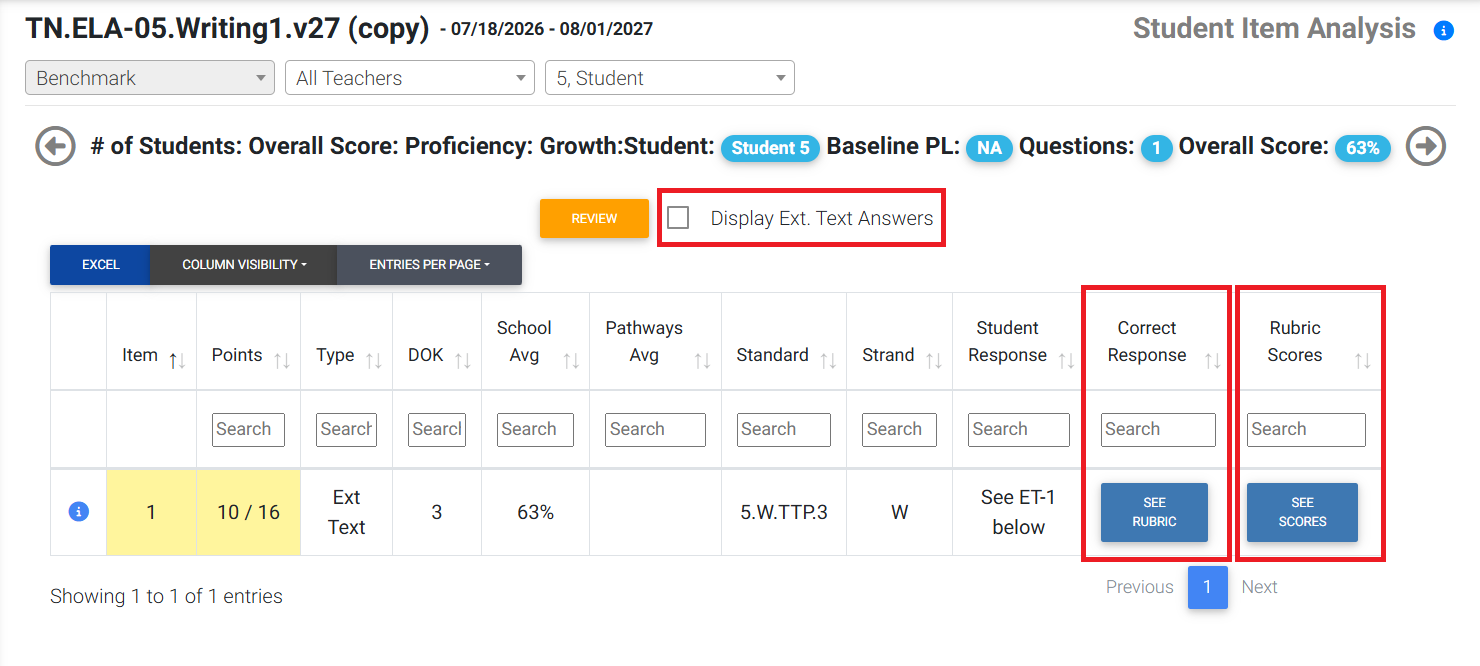
For assessments containing extended text (essay) questions, the student Student Item Analysis report will contain some additional options.
A checkbox labeled 'Display Ext. Text Answers' will be available at the top of the report. Selecting that checkbox will display the answer for each extended text question on the assessment at the bottom of the report.
Additionally, the 'Correct Response' column will display an option to view the question/item rubric for each extended text question on the assessment. For benchmark writing assessments, there will be an additional column labeled 'Rubric Scores' that contains an option to view the student's rubric scores for each extended text question/item.
Was this article helpful?
That’s Great!
Thank you for your feedback
Sorry! We couldn't be helpful
Thank you for your feedback
Feedback sent
We appreciate your effort and will try to fix the article